29 April, 2012

Expert Oracle Database Architecture, 2nd Edition

You can now download "Expert Oracle Database Architecture, 2nd Edition" book free from here.
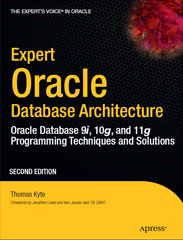

The author of book is Thomas Kyte who is the best expert in Oracle Database.
It covers the development up to version 11g.
You can download this book and enjoy by your time.

Regarding my review it is the best book can learn you more details about database kernel and database programming.


Thanks
Mahmoud A. El-Sayed
28 April, 2012

Get Sequence Next Value in OAF

I posted Get Sequence Next Value in ADF.
Today I will create function that returns sequence next value in OAF framework.

We pass sequence name to method and it returns next value of sequence

 public Number getSequenceValue(String sequenceName) {  
     Number sequenceValue;  
     if (sequenceName != null && !"".equanls(sequenceName)) {  
       OADBTransaction transaction = getOADBTransaction();  
       sequenceValue = transaction.getSequenceValue(sequenceName);  
     }  
     return sequenceValue;  
   }  

Thanks
Mahmoud A. El-Sayed

27 April, 2012

Avoid Null Pointer Exception Part 1


Null Pointer Exception is the most common and most annoying exception in Java.
In this post I want to avoid this undesired exception.

First let's create example that raise Null Pointer Exception
   private Boolean isFinished(String status) {  
     if (status.equalsIgnoreCase("Finish")) {  
       return Boolean.TRUE;  
     } else {  
       return Boolean.FALSE;  
     }  
   }  

In previous method if we pass the value of "status" variable as null it will raise Null Pointer Exception in below line
if (status.equalsIgnoreCase("Finish")) {

25 April, 2012

Generate Source Code Scripts of Database Objects

We use a lot of editors to display source code of Oracle Database objects like Toad, PLSQL Developer, Navigator and SQL Developer and others.

I have idea to do like this editors to generate source code of database objects (Table, View, Trigger, Functions, Package, Function, Procedure, ...... etc) using Oracle Database Data Dictionary views.

I can do this using using
1-ALL_SOURCE view which contains source code of package, package body, function, procedure, library, type, type body,java source only.
You can use others view to generate tables and indexes and constraint and database links and ..... etc, but at this post I only use ALL_SOURCE

2-DBMS_METADATA built-in package which contains procedure and functions that help me to get source code directly from database with less efforts.

I created MAHMOUD_SOURCE_CODE package with below procedures to get source code of database objects
1-GET_SOURCE_CODE1
   I use DBMS_METADATA.GET_DDL function
2-GET_SOURCE_CODE2 
   I use DBMS_METADATA procedure and functions to get source code
3-GET_SOURCE_CODE3 
   I use ALL_SOURCE view

Mahmoud_SOURCE_CODE package also containts
1- WRITE_CLOB_IN_FILE
    It saves CLOB variable in physical file at directory object
2-TO_CHAR
    It converts CLOB variable to VARCHAR2 variable

23 April, 2012

Discrimination between Odd and Even Records in Oracle Forms

In tabular block in Oracle Forms, I want to discriminate between odd records with different color from color of even records alternately so the block in run time look like below image.


The idea of this post is based on my previous post Highlighting Selected Records in Oracle Forms as I use visual attribute for every navigable items in block.

22 April, 2012

Highlighting Selected Records in Oracle Forms


I have tabular block in Oracle Forms, one of block columns is check-box.
The Requirement :
User needs when he checks Check-box, Form should highlight entire record background by another different color like this image

21 April, 2012

Print Java System Properties in PLSQL

I will present how to print System.getProperties() in Java and call it from PLSQL.
I can print output in DBMS Output Console or Java Console.

The steps of this practice as below
1-Create Java Class
2-Create wrapper Procedure and Function
3-Call Wrapper Procedure and Function From PLSQL

1-Create Java Class
I create two method in Java Class

a-printProperties method which return output of system properties as string
b-printPropertiesJavaConsole method which print output of system properties in Java console

 CREATE OR REPLACE AND COMPILE JAVA SOURCE NAMED SystemProperties  
   AS import java.util.Enumeration;  
 import java.util.Properties;  
 public class SystemProperties {  
   public static String printProperties() {  
     StringBuilder sb = new StringBuilder();  
     Properties properties = System.getProperties();  
     Enumeration properiesEnum = properties.propertyNames();  
     while (properiesEnum.hasMoreElements()) {  
       String propertyKey = (String)properiesEnum.nextElement();  
       sb.append(propertyKey + " = " + System.getProperty(propertyKey) + "\n");  
     }  
     return sb.toString();  
   }  
    public static void printPropertiesJavaConsole() {  
     System.out.println(printProperties());  
   }  
   public static void main(String[] args) {  
     System.out.println(printProperties());  
   }  
 }  
 /  

ADF : Scope Variables

Oracle ADF uses many variables and each variable has a scope. There are five scopes in ADF (Application, Request, Session, View and PageFl...